Buyer Guide · Computer Accessories
Best Networking Accessories in Tanzania 2026: Routers, LAN Cables, Switches & WiFi Setup Guide
Learn how to choose routers, LAN cables, switches and networking accessories in Tanzania for home, office, shops and schools.
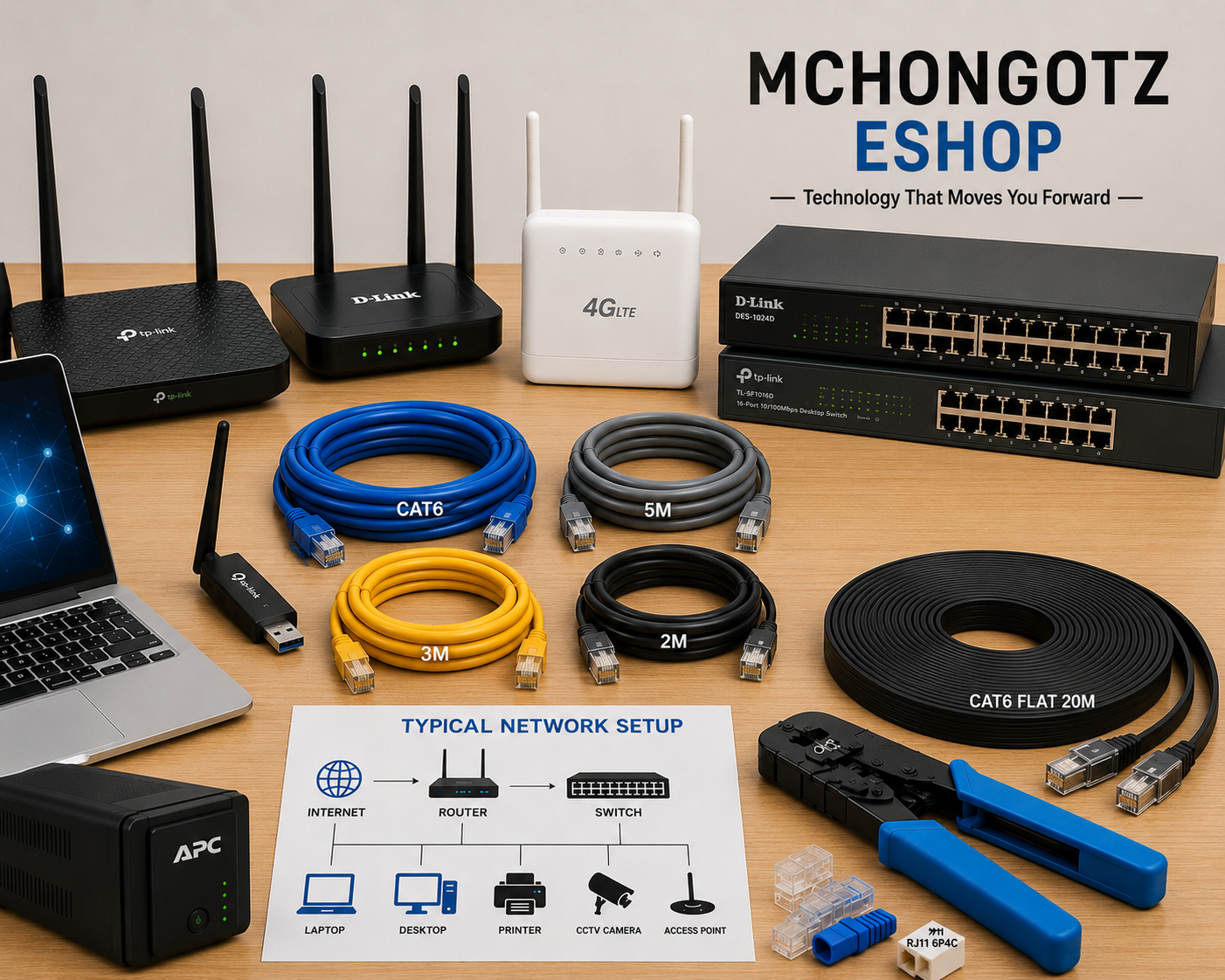
A slow internet connection is not always the internet provider’s fault. Sometimes the real problem is your router, weak WiFi coverage, poor LAN cable, wrong switch, bad connector or a messy network setup.
If you are searching for networking accessories Tanzania, router price Tanzania, WiFi router Tanzania, LAN cable Tanzania, network switch Tanzania or office network setup Tanzania, this guide will help you choose the right networking products without wasting money.
Quick answer: what networking accessories do you need?
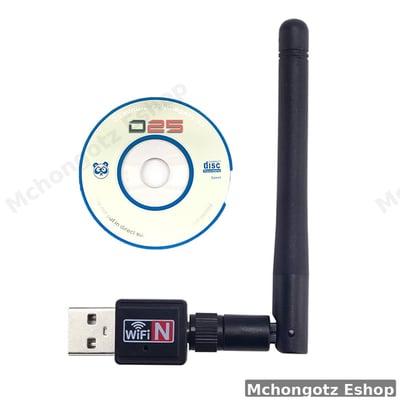
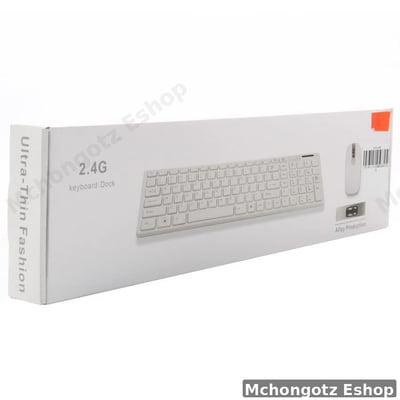
For a simple home setup, you may need a WiFi router, LAN cable and maybe a USB WiFi adapter. For an office, school, shop or business setup, you may need a stronger router, Ethernet cables, network switch, RJ45 connectors, crimping tool and possibly a 4G LTE backup router.
The real question is not “router gani ni kali?” The better question is: how many users, how many rooms, how many devices, and how stable does the connection need to be?
Best networking setup by user type
| User type | Recommended networking products | Why it fits |
|---|---|---|
| Home user | WiFi router, LAN cable, USB WiFi adapter | Good for phones, laptops, smart TV and basic browsing |
| Student or hostel room | 4G router, USB WiFi adapter, short LAN cable | Useful where fixed internet is not available or WiFi is weak |
| Small office | Router, network switch, CAT6 LAN cables, RJ45 connectors | Supports laptops, desktops, printers and shared office devices |
| Shop or restaurant | Router, LAN cable, switch, UPS, POS network setup | Good for POS systems, receipt printers, payment systems and CCTV access |
| School or training centre | Router, switch, long LAN cables, access points, crimping tool | Supports labs, offices, classrooms and staff devices |
| Business with many devices | D-Link/TP-Link router, 16/24-port switch, CAT6 cabling | Better for stable wired connections and multiple users |
Router vs modem vs switch: what is the difference?
| Device | What it does | Who needs it |
|---|---|---|
| Router | Shares internet to devices through WiFi or LAN | Homes, offices, shops, schools |
| Modem router | Connects to internet service and also shares WiFi/LAN | Users with ADSL or specific internet line setups |
| 4G LTE router | Uses SIM/mobile network to provide internet | Backup internet, homes, shops, temporary offices |
| Network switch | Adds more wired LAN ports for devices | Offices, schools, CCTV rooms, computer labs |
| Access point | Extends WiFi coverage in a building | Large homes, offices, schools, hotels |
Why LAN cable still matters even when WiFi exists
WiFi is convenient, but LAN cable is still more stable for many serious uses. If you want reliable internet for desktops, POS systems, CCTV, office printers, gaming, servers or business software, wired Ethernet is often better.
The aha moment is this: sometimes your internet is not “slow.” Your WiFi signal is just weak, crowded or badly placed. A good LAN cable or better router placement can fix more than people expect.
CAT5e vs CAT6 LAN cable: which one should you choose?
| Cable type | Best for | Buying advice |
|---|---|---|
| CAT5e | Basic home and small office networking | Can work for normal internet and simple device connection |
| CAT6 | Better office, CCTV, gaming and stable network setups | Better choice when you want stronger performance and future readiness |
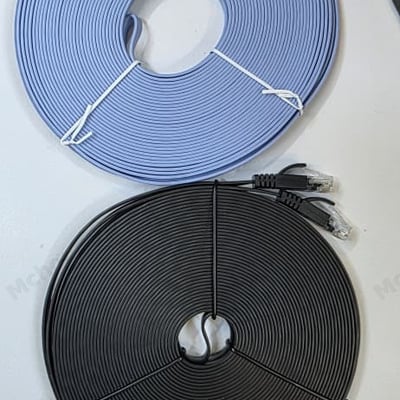
| Flat LAN cable | Clean desk, wall or floor routing | Good where you want a neat setup without thick cables |
| Long LAN cable | Connecting rooms, routers, switches or devices far apart | Choose correct length: 2m, 3m, 5m, 10m, 20m or more |
Current networking product examples at Mchongotz
Stock and prices change, so always confirm before buying. These examples show the kind of networking accessories and devices customers can compare at Mchongotz Computers Eshop.
| Product example | Type | Listed price example | Best for |
|---|---|---|---|
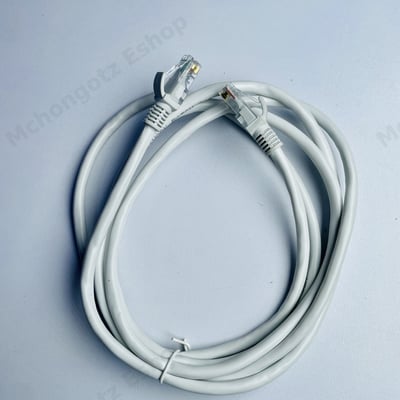
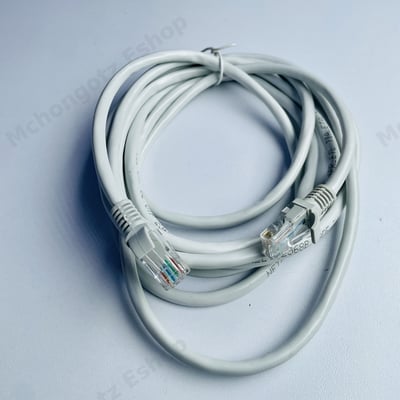
| 2 Meter Ethernet Cable | LAN network cable | Around TZS 12,000 | Short desk setup, router to desktop/laptop |
| 3 Meter Ethernet Cable | LAN network cable | Around TZS 15,000 | Home and office device connection |
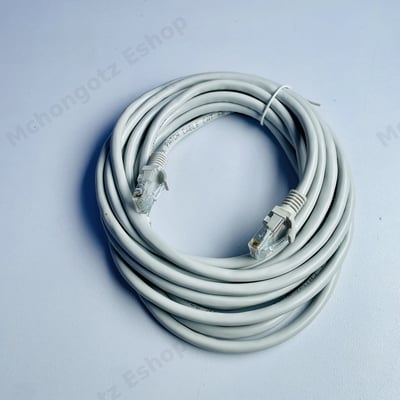
| 5 Meter Ethernet Cable | LAN network cable | Around TZS 20,000 | Router to printer, desktop or nearby device |
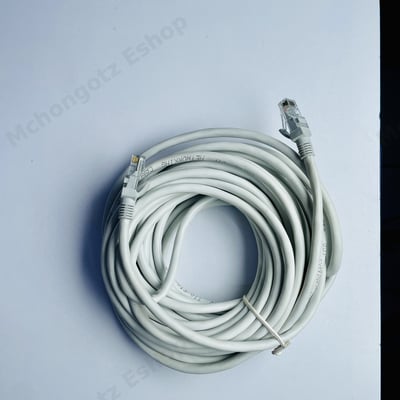
| 10 Meter Ethernet Cable | LAN network cable | Around TZS 30,000 | Longer office or room-to-room connection |
| Flat CAT6 LAN Cable 20M | Flat Ethernet cable | Around TZS 65,000 | Clean long cable setup for office/home |
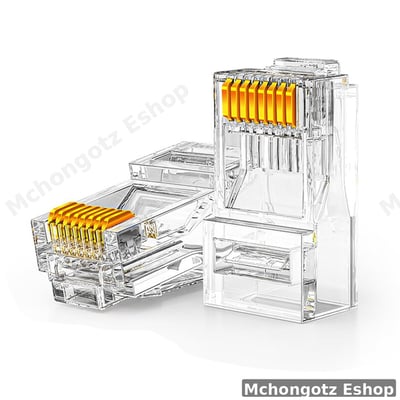
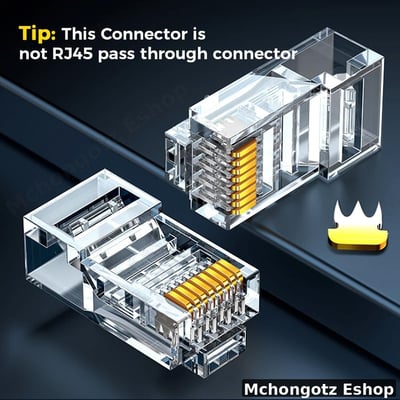
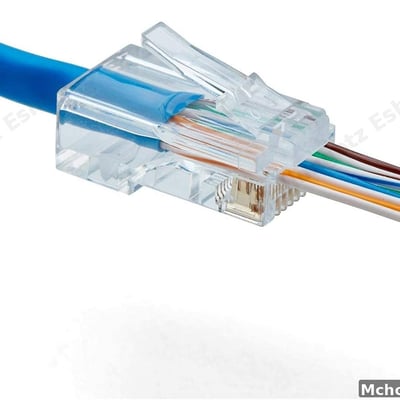
| RJ45 Ethernet Connector | Network connector | Around TZS 500 | Custom LAN cable termination |
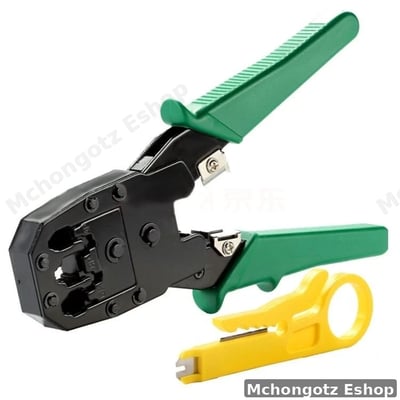
| Network Crimping Tool | RJ45/RJ12/RJ11 crimping tool | Around TZS 25,000 | Technicians and custom network cable work |
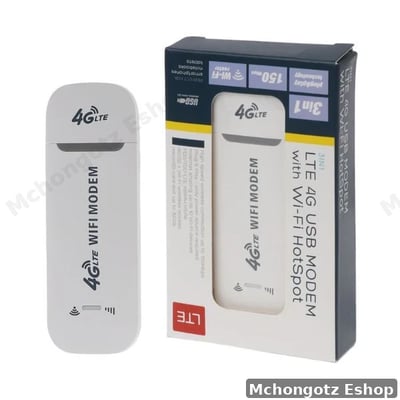
| 4G LTE USB Modem with WiFi Hotspot | Mobile internet router/modem | Around TZS 50,000 | Backup internet, portable WiFi, students and travel |
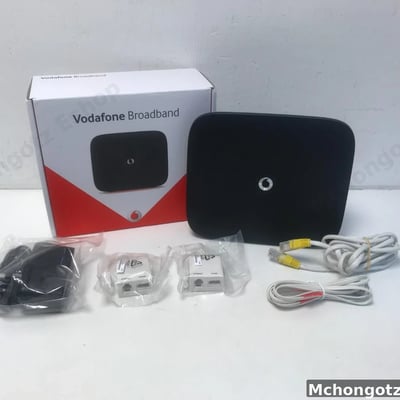
| Vodafone HHG2500 Broadband WiFi Router | WiFi router | Around TZS 80,000 | Home and small office internet sharing |
| D-Link 4G AC1200 LTE Router | Dual-band 4G LTE router | Around TZS 300,000 | Business, backup internet and stronger WiFi setup |
| TP-Link TD-W8961N | ADSL2+ wireless modem router | Around TZS 130,000 | ADSL internet and home/office WiFi |
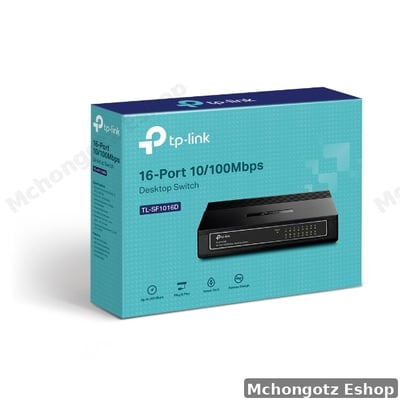
| TP-Link 16-Port Desktop Switch | Network switch | Around TZS 90,000 | Small offices and multiple wired devices |
| D-Link 24-Port Fast Ethernet Switch | Network switch | Around TZS 130,000 | Offices, labs, CCTV and many wired devices |
Best router for home WiFi
For home WiFi, start with the size of the house and number of devices. A small room or apartment may work with a basic router, but a larger house with many phones, laptops, smart TVs and visitors needs stronger coverage.
Do not hide the router behind metal shelves, inside cabinets or near too many walls. Router placement matters. Put it in an open central location where the signal can spread properly.
Best networking setup for offices
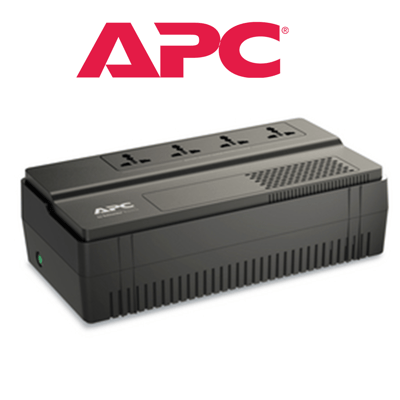
Offices should not rely on weak WiFi alone. A proper office setup may include a router, network switch, CAT6 cables, LAN cable to printers, LAN cable to desktops and a UPS for router backup.
If your office has shared printers, desktops, accounting systems, CCTV or POS devices, wired LAN can reduce random connection problems.
Networking setup for shops and restaurants
Shops and restaurants often need stable internet for POS systems, receipt printers, payment systems, stock software, CCTV access and customer service. If the router is weak or badly placed, the business suffers.
A small shop can start with a router, LAN cable, possibly a switch, and UPS for backup power. If mobile internet is the main connection, a 4G LTE router can be useful.
Networking tools technicians should have
- Crimping tool: for making or repairing LAN cables.
- RJ45 connectors: for terminating Ethernet cables.
- RJ45 boot caps: for protecting cable ends.
- LAN cable tester: useful for checking cable faults.
- CAT6 cable: good for stronger network installations.
- Switches: for connecting many wired devices.
Common networking mistakes
1. Buying a router without checking coverage
A cheap router can work in a small room but fail badly in a larger office or house.
2. Using poor cables
A bad LAN cable can make a good internet connection look terrible. Do not ignore cable quality.
3. Forgetting switches
If you have many wired devices, a switch is cleaner and more reliable than forcing everything through limited router ports.
4. Poor router placement
Putting the router in the wrong place can weaken WiFi signal. Open and central placement is usually better.
5. No backup internet plan
For business users, relying on one internet option can be risky. A 4G router or mobile backup can save work when the main connection fails.
Related products and categories
You can explore related categories through networking, cables and connectors, computer accessories, Power & UPS and all products.
FAQ: networking accessories in Tanzania
Which router is good for home use?
A good home router depends on house size, number of users and internet type. For light use, a basic WiFi router may work. For stronger coverage, choose a better router or 4G LTE router if using mobile internet.
Is LAN cable better than WiFi?
For stability, yes. LAN cable is usually better for desktops, POS systems, printers, CCTV and serious office work.
What is a network switch used for?
A switch adds more wired LAN ports, making it easier to connect multiple desktops, printers, CCTV devices or office computers.
What is the difference between CAT5e and CAT6?
Both are Ethernet cables, but CAT6 is generally better for stronger performance and future-ready networking.
Where can I buy networking accessories in Dar es Salaam?
You can buy routers, switches, LAN cables, RJ45 connectors and networking tools at Mchongotz Computers Eshop, Makumbusho Stand, Dar es Salaam, or online through https://mchongotz.co.tz/.
Final advice before buying networking products
Do not buy networking products by guessing. First count the devices, rooms, users and purpose. Home WiFi, office network, shop POS and school lab are not the same setup.
Need help choosing routers, LAN cables, switches or networking accessories? Visit Mchongotz Computers Eshop at Makumbusho Stand, Dar es Salaam, browse online at https://mchongotz.co.tz/, call +255738050165 or chat on WhatsApp: Chat with Mchongotz on WhatsApp.
Ready to buy?
Browse laptops, desktops & accessories — great prices, warranty, Dar es Salaam.
Shop related products from this guide
Categories